
Discount Codes
UserLoop can automatically generate a unique Shopify discount code whenever a customer completes one of your surveys. The code is displayed on the thank you page after the customer finishes the survey.
How It Works
When a customer completes your survey, UserLoop generates a unique 10-character discount code based on a master discount code from your Shopify account. Each customer gets their own unique code, so you can track which codes are being redeemed.
How to Set Up Discount Codes
1. Go to Surveys and select your survey.
2. Click the Design tab.
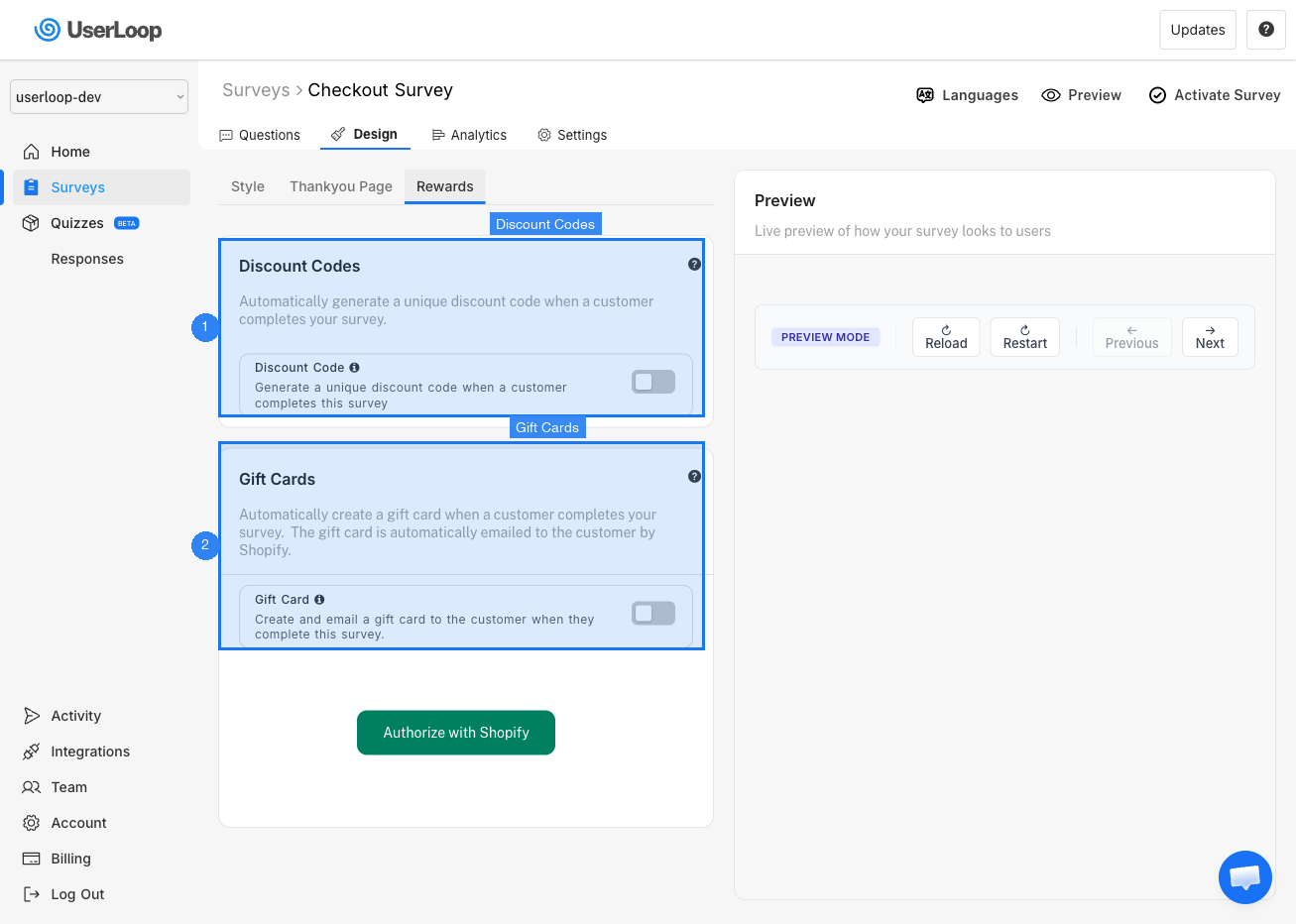
3. Select the Rewards sub-tab.
4. Toggle on Discount Code.
5. You may need to click Authorize with Shopify to grant UserLoop permission to generate discount codes and read your existing codes.
6. Select a master discount code from your Shopify account. UserLoop will generate unique codes based on this master code's settings (e.g. percentage off, fixed amount, free shipping).
Customizing the Discount Message
You can add a custom heading and subheading to the discount code section on your thank you page. Use this to explain the deal you're offering — for example, "10% off your next order" or "Free shipping on your next purchase."
Need Help?
If you have any questions about setting up discount codes, reach out to us via live chat and we'll be happy to help.
Updated on: 27/02/2026
Thank you!