
Email Reports
Email Reports give you a quick overview of all the responses to your surveys, delivered straight to your inbox. Our AI engine, Survey Copilot, analyzes all the responses and provides you with an easy-to-read summary for each question.
What's in the Report
Each report includes:
- A top-level summary of how many customers responded and how many questions were answered.
- An AI-generated summary for each question, giving you an overview of all responses.
- A raw response data table per question, including the answer text, AOV (Average Order Value), and Total Sales for each answer option.
Setting Up Scheduled Reports
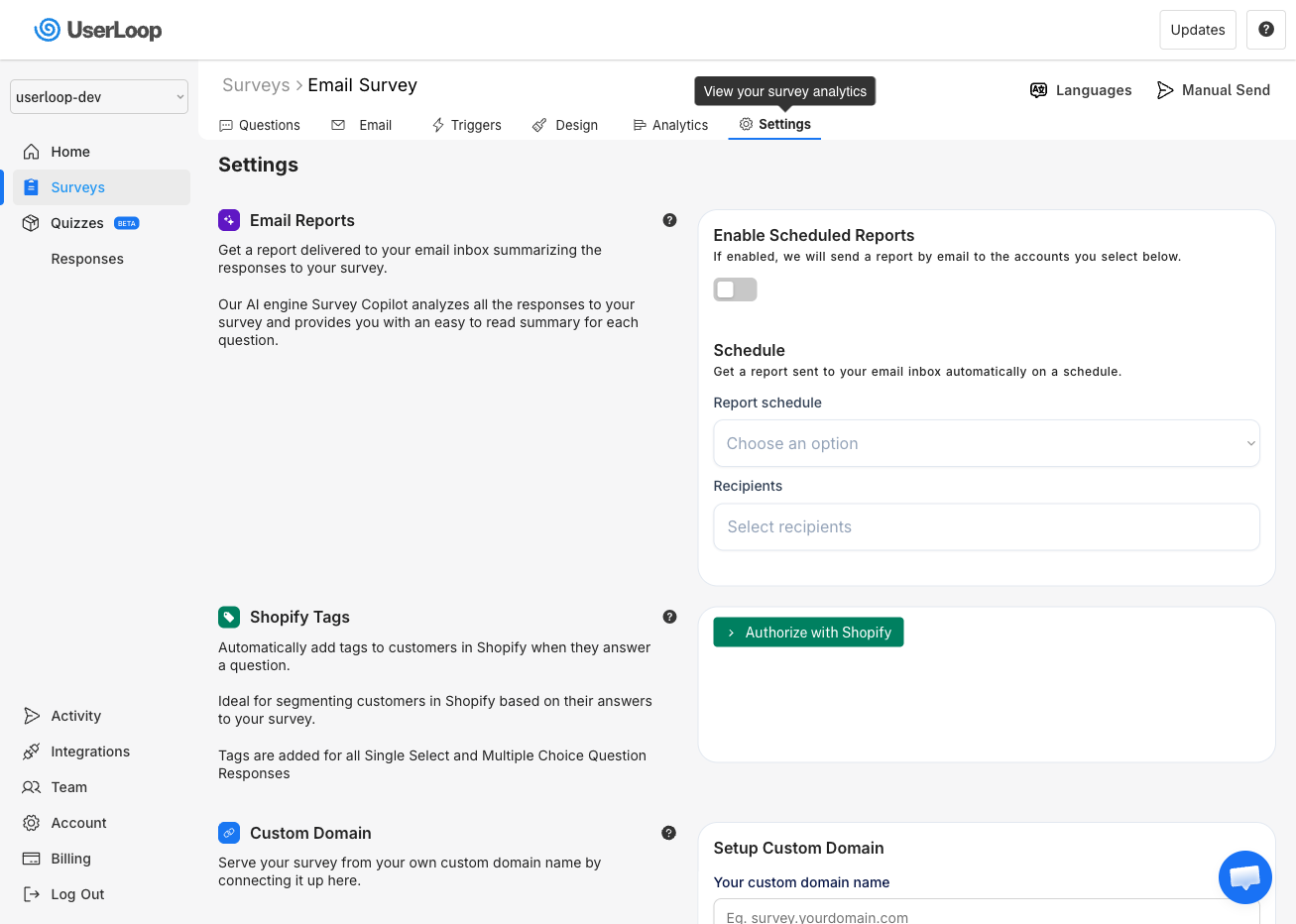
1. Go to Surveys and select the survey you want reports for.
2. Click the Settings tab.
3. Under Email Reports, toggle on Enable Scheduled Reports.
4. Choose your Report schedule — Daily, Weekly, or Monthly.
5. Select the Recipients who should receive the report.
Reports will be automatically generated and sent to the selected recipients on the schedule you choose.
Need Help?
If you have any questions about email reports, reach out to us via live chat and we'll be happy to help.
Updated on: 26/02/2026
Thank you!