
Abandoned Cart Email Surveys
The abandoned cart trigger sends an email survey to customers who add items to their cart but don't complete their purchase. These surveys are sent once every 24 hours to customers who haven't completed the checkout process.
Sending a survey to customers who abandon purchases can give you valuable insights into your customer experience and help you discover ways to improve your store. You can also use it as an opportunity to recover a sale — try including a discount code reward to incentivize customers to complete your survey and return to your store.
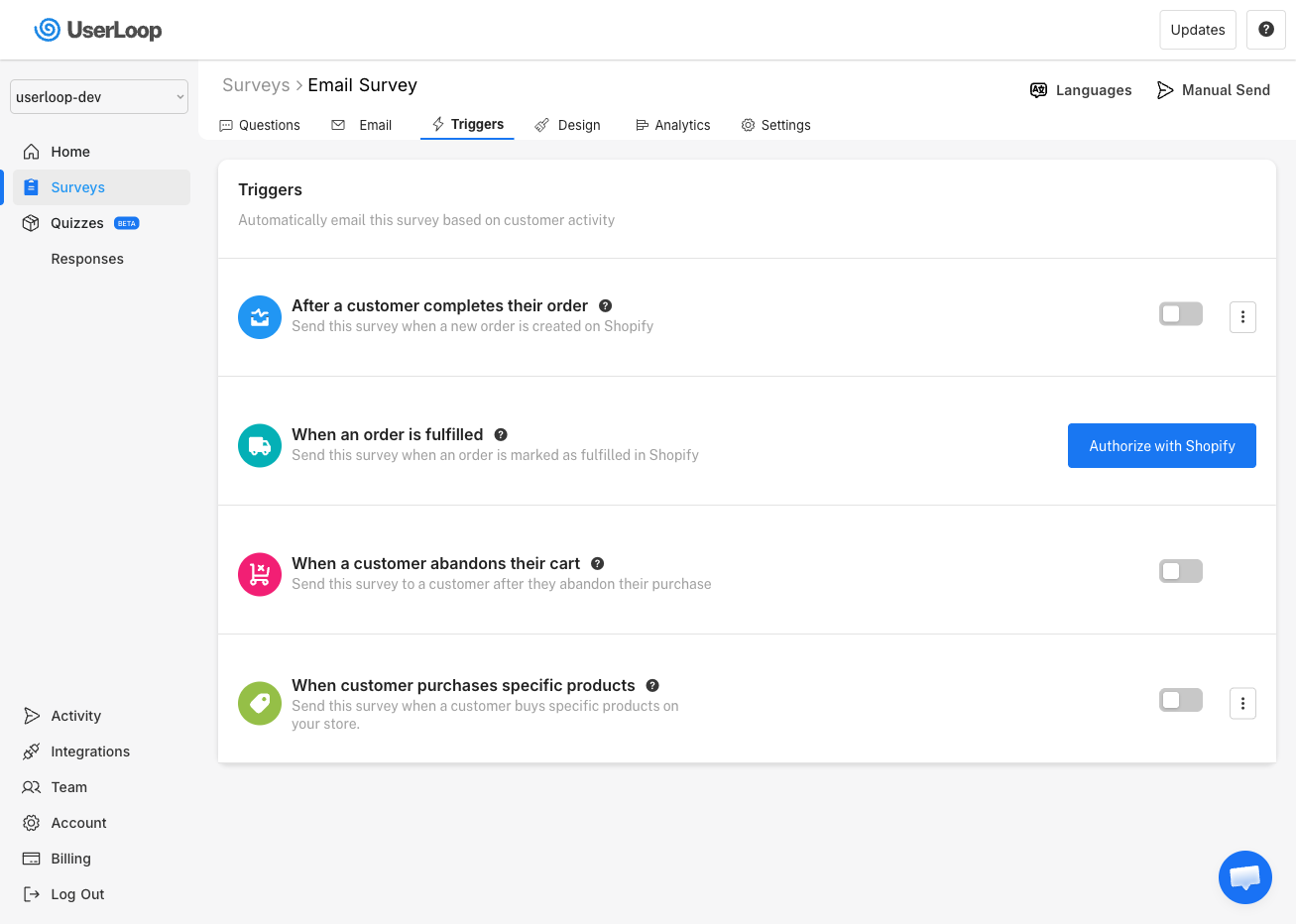
How to Enable the Abandoned Cart Trigger
1. Go to Surveys and select your email survey.
2. Click the Triggers tab.
3. Find the When a customer abandons their cart trigger and toggle it on.
Need Help?
If you have any questions about abandoned cart surveys, reach out to us via live chat and we'll be happy to help.
Updated on: 26/02/2026
Thank you!