
Email Throttling
Email throttling prevents customers from receiving too many survey emails in a short period of time. If a customer makes multiple orders, UserLoop will respect the throttle setting and only send them one survey email within the chosen timeframe.
How to Configure Email Throttling
1. Click Account in the left menu.
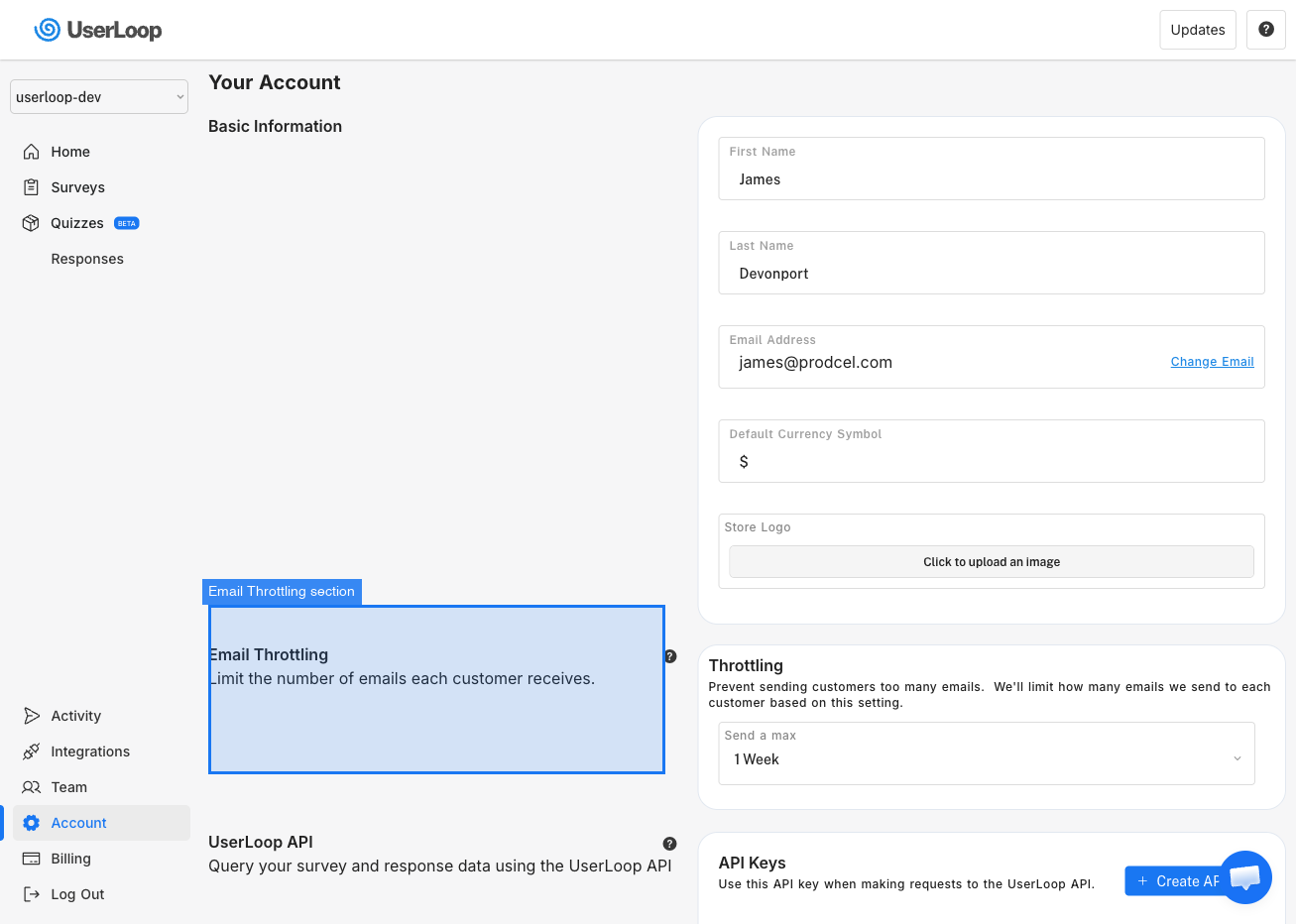
2. Scroll down to the Email Throttling section.
3. Use the Send a max dropdown to choose your preferred throttle period.
Available Options
- 1 Week (default) — Customers receive at most one survey email per week.
- 2 Weeks — One email every two weeks.
- 1 Month — One email per month.
- 2 Months — One email every two months.
- 3 Months — One email every three months.
- 6 Months — One email every six months.
- No throttling — A survey email is sent every time a trigger fires, even if the customer received one recently.
Throttle settings also apply when you use Manual Send to email a survey to all your customers. If a customer has already received an email within your selected timeframe, they will not be sent another.
Need Help?
If you have any questions about email throttling, reach out to us via live chat and we'll be happy to help.
Updated on: 26/02/2026
Thank you!